What's new

Recraft Image v4, Recraft Vector, New Templates, and Workflow Improvements

We’ve just shipped a new update in Phygital+ — new nodes, more templates, higher project limits, and a smoother workflow across the workspace.

ADDED

  • Recraft Image v4 — improved prompt understanding and composition for more realistic product and lifestyle visuals.

  • Recraft Vector — a new node for generating vector graphics directly from text.

  • New Templates — new ready-to-use templates are now available for Interior Design, Edit Video by Prompt, 3D from Plans, and Product Visuals.

UPDATED

  • Project Limits — project limits have been increased across plans. Starter goes from 3 to 7, Pro from 7 to 20, with higher limits added across other plans as well.

  • Workflow Improvements — the workspace is now smoother to use, with faster iteration and a clearer flow between steps.

  • Cut Connections — you can now easily remove links between nodes while editing workflows.

This release continues our move toward a more structured and controllable creative workflow.

Document Support, Seedream 5.0, and Four New Templates

Wrapping up winter with another major release — Seedream jumps to 5.0, Gemini 3.1 gains document ingestion, VEO reaches 4K, and four new ready-to-use templates land in the workspace.

Phygital+ February 2026 update — Seedream 5.0, document support, VEO 4K, new templates

ADDED

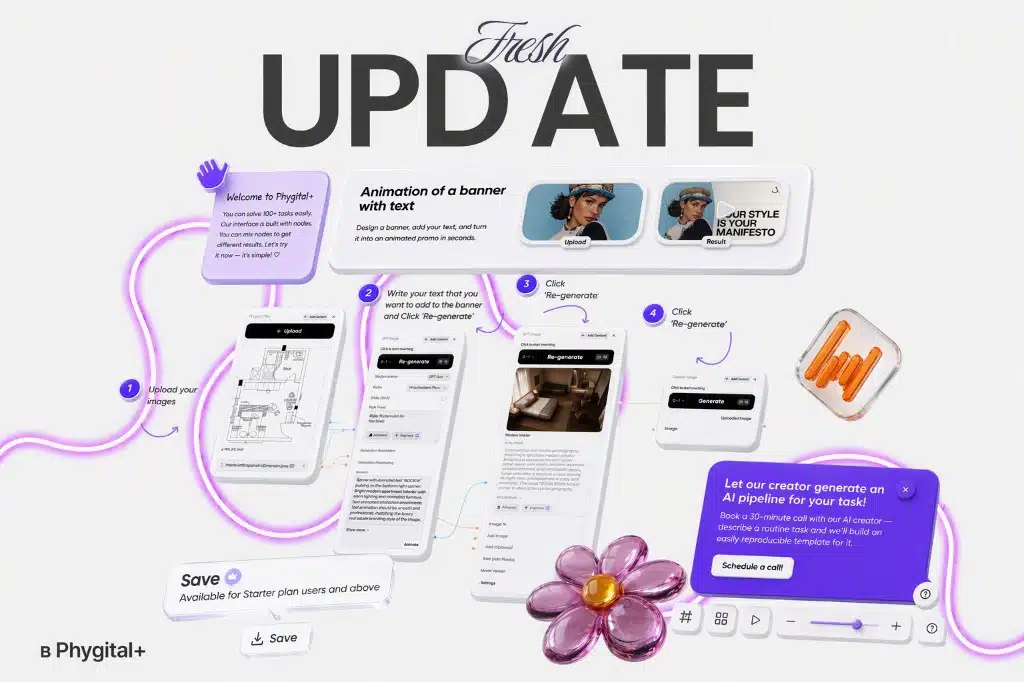
  • Four New Templates — four ready-to-run pipelines are now available in the template library: Animated Text Banner for motion graphics with text overlays; UGC Content Generator combining face, voice, and product in a single cohesive scene; Group Products for compositing multiple product shots into one naturally arranged image; and 360° Rotation Animation for photorealistic product spin-arounds. Each template is available directly from the workspace — no setup required.

UPDATED

  • Seedream 5.0 — upgraded to version 5.0 with improved visual consistency, smarter generation logic, and full multi-reference support. Feed multiple reference images and get outputs that hold visual identity across variations.

  • Document Support in Gemini 3.1 — Gemini 3.1 now accepts documents as direct inputs. Attach CSV, PDF, MD, or TXT files to your node and reference their content in generation prompts — useful for structured data, briefs, and spec sheets.

  • VEO 4K — VEO video generation now supports 4K output resolution, delivering sharper, production-ready results straight from the canvas.

Runway 4.5, Kling 3, Motion Control, and More — Major Video Update

A major video generation release — new Runway, upgraded Kling models, Motion Control, and more tools to take your video output to a cinematic level.

Phygital+ February 21 2026 — major video update

ADDED

  • Runway 4.5 — the latest Runway model is now available. Handles cinematic generation in any scenario: no starting image required, with native support for both horizontal (16:9) and vertical (9:16) formats.

  • Kling 3 — Full Control — Kling 3 now works with or without reference images, supports audio, elements, and keyframe control for first, last, and intermediate frames. Generation length extends to 15 seconds, with per-scene frame duration adjustable in settings.

  • Kling Omni 3 — Reference & Frame Editing — generates video from reference images and supports direct video editing. Each frame can now be individually configured: upload images and write a separate prompt for each one.

  • Motion Control by Kling — transfer motion from a reference video onto your character, exactly as it is done in professional film production. Supports sequences up to 30 seconds in length.

  • Hover Upscale for Video — hover over any video asset and click Upscale to instantly enhance its quality. No extra steps, no separate workflow.

UPDATED

  • Remove Background — improved accuracy across a wider range of subjects. Now includes additional settings, including the option to choose a custom background color for the output.

Voice Generation Pipeline, Kling Omni Image, and Platform Fixes

A full voice generation pipeline is now live — create, clone, and produce consistent voice tracks as many times as you need. Plus a new image model and a round of platform fixes.

ADDED

  • Voice Generation Pipeline — a complete end-to-end workflow for voice: generate a voice from scratch, clone an existing one, and produce new audio tracks with consistent sound output — repeatable as many times as needed. Find Voice Creation, Sound Creation, and Voice Clone in the main menu.

  • Kling Omni Image — multi-reference image generation with the ability to produce multiple images from a single prompt in one run.

FIXED

  • Bugs with generation history and projects resolved. Task creation speed improved.

Three New Templates: Product Banner, Realistic Food, Sketch to Animation

Kicking off February with three new ready-to-use templates and a set of platform stability improvements.

ADDED

  • Product Banner Marketplace — generate a product banner with a mockup and animate it, ready for marketplace and advertising use cases.

  • Realistic Food — generate photorealistic food imagery at 4K resolution directly from a prompt.

  • Sketch to Animation — turn a sketch into a video in three clicks.

FIXED

  • Video display issues in generation history resolved. Unstable credit balance indicator fixed.

Four New Templates and QWEN Upgrade

Four new templates and a substantial QWEN upgrade — all in one release.

ADDED

  • Beauty Try-On — apply a beauty product to a photo in 2–4 clicks. Works directly from the template without any manual compositing.

  • Product Card Animation — animate product card photos in a single click, ready for e-commerce listings and ads.

  • Retail Zone Visualization — place your product into any interior scene with accurate physics, geometry, and spatial positioning handled automatically.

  • Compose Scene — combine multiple objects into a single scene. A guided template that makes the Compose workflow immediately accessible for new users.

UPDATED

  • QWEN — Text-to-Image Quality — improved adherence to text prompts. A new Prompt Following parameter provides enhanced control over generation output: fewer hallucinations, stronger alignment with the prompt.

  • QWEN — Edit Function — object compositing in edit mode is now more precise, with manual control over camera angle and perspective.

  • Platform Performance — the left panel and credit balance indicator now load and update faster.

ChatGPT 5, Z Image, Kling Omni Multi-Reference, and Talking Characters

New models, an upgraded video pipeline, and a new template — starting January strong.

Phygital+ January 14 2026 update — ChatGPT models, Z Image, Kling Omni, Talking Characters

ADDED

  • ChatGPT 5, 5.1 & o in the Text Node — the latest OpenAI models are now available in the Text node. In addition to stronger generation quality, the new models accept multiple images as input simultaneously.

  • Z Image — a new image model that handles both photorealism and stylization well, at just 20 credits per generation. Accepts prompts in English and Chinese.

  • Kling Omni — Multi-Reference Video — Kling Omni can now generate video from multiple reference images in a single run. A source video can also be connected as an additional input.

  • Talking Characters Template — a new template for quickly generating character videos with synchronized audio from a single image.