What's new

New Generation Formats, Project Links, and Workspace Fixes

This release brings sharper generations and smoother project work: new output formats, faster credit returns after failed generations, easier project sharing, and a more stable workspace experience.

Phygital+ Updates cover image with 4K text and purple plus icon


ADDED

  • Unique project links — open and share projects faster with a direct workspace link, so collaborators can get to the right project with fewer steps.

  • New generation formats — SeeDance now supports 1080p, Veo supports 4K, Kling has been updated to 4K, and GPT Image includes new resolution options.


UPDATED

  • Credit return after failed generations — credits now come back faster when a generation ends with an error, reducing interruptions and support requests.

  • Fit to Screen — large projects are easier to navigate because the canvas now adapts more reliably to the working area.


FIXED

  • Project loading stability — fixed an issue where users could see Error while loading workspace when opening a project.

Open your workspace to try the latest improvements.

GPT Image Speed, PNG Support, Prompt Combiner, and Topaz Upscaler

This release improves image and text workflows in Phygital+: faster GPT Image generations, broader PNG and transparency support, Prompt Combiner for cleaner prompt building, Topaz Upscaler for sharper visuals, and new GPT Text models.

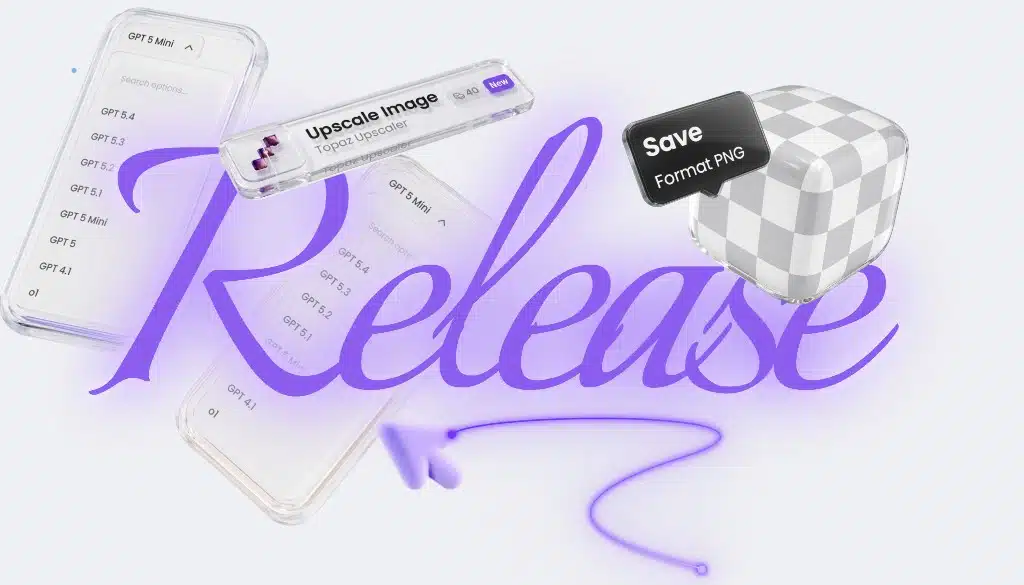
Phygital+ fresh release: GPT Image, PNG support, Prompt Combiner, Topaz Upscaler, and GPT Text updates


ADDED

  • Prompt Combiner — combine several text blocks into one clean prompt for more complex image and text generations.

  • Topaz Upscaler — upscale images directly in Phygital+ for sharper, higher-quality visuals inside your workflow.

  • New GPT Text models — GPT Text v5.2, v5.3, and v5.4 are now available for more flexible text workflows.


UPDATED

  • GPT Image performance — generation is now faster and more stable, making image workflows smoother to run.

  • PNG and transparency support — GPT Image, Photoroom, FLUX 2, Magnific, and Gemini Image now support PNG, with improved transparency handling in GPT Image.

These updates are already available in Phygital+ for building more stable creative workflows across images, prompts, and text.

Magnific Precision, WAN Auto Image Size, and 3D Hunyuan

This update brings more control to upscaling and image editing workflows, plus a new model for 3D generation in Phygital+.

Fresh updates in Phygital+ with Magnific Upscale, WAN Image, and 3D Hunyuan


ADDED

  • 3D Hunyuan — a new model for 3D generation is now available in Phygital+. It supports text-to-image and helps create higher-quality outputs for 3D workflows.


UPDATED

  • Magnific Upscale Precision — Precision is now available in both v1 and v2. You can choose the version directly in the Version setting, while Precision settings are now grouped separately for easier fine-tuning.

  • WAN Image Auto Image Size — WAN Image now supports automatic image size selection. This is especially useful for version 2.7 and image editing workflows, reducing manual setup before generation.

WAN Video 2.7, Project Version History, and Easier Node Selection

This week in Phygital+: WAN Video is upgraded to version 2.7, canvas navigation gets smoother, and projects now support version history so you can return to previous states when needed.

What's new in Phygital+ platform updates


UPDATED

  • WAN Video 2.7 — WAN Video is now updated to version 2.7 for video generation from references, giving users access to the latest model improvements directly inside Phygital+.

  • Node selection — selected elements are now easier to spot on the canvas. When you drag selected elements to the edge of the screen, the canvas moves automatically, making navigation and workflow editing smoother.


ADDED

  • Project version history — you can now open previous project states and return to an earlier version if something was deleted, lost, or changed by mistake.

These updates make it easier to build, adjust, and safely iterate on creative workflows in Phygital+.

Claude Text and Seedance 2.0

We added two important updates to the Phygital+ workflow: Claude Text and Seedance 2.0. Claude brings flexible text generation into the workspace, while Seedance 2.0 gives you a stronger option for more consistent, controllable video generation.

Claude Text update in Phygital+

ADDED

  • Claude Text — Claude is now available directly inside Phygital+ with support for Sonnet, Opus, and Haiku, so you can choose the right balance of quality, speed, and cost for each task without leaving your workflow.

  • Seedance 2.0 — one of the most talked-about video AI models is now available in Phygital+, with better consistency, cleaner motion, and stronger handling of complex scenes for more predictable results.

Seedance 2.0 update in Phygital+

Both updates are now available in the Phygital+ workspace.

Recraft Image v4, Recraft Vector, New Templates, and Workflow Improvements

We’ve just shipped a new update in Phygital+ — new nodes, more templates, higher project limits, and a smoother workflow across the workspace.

ADDED

  • Recraft Image v4 — improved prompt understanding and composition for more realistic product and lifestyle visuals.

  • Recraft Vector — a new node for generating vector graphics directly from text.

  • New Templates — new ready-to-use templates are now available for Interior Design, Edit Video by Prompt, 3D from Plans, and Product Visuals.

UPDATED

  • Project Limits — project limits have been increased across plans. Starter goes from 3 to 7, Pro from 7 to 20, with higher limits added across other plans as well.

  • Workflow Improvements — the workspace is now smoother to use, with faster iteration and a clearer flow between steps.

  • Cut Connections — you can now easily remove links between nodes while editing workflows.

This release continues our move toward a more structured and controllable creative workflow.

Document Support, Seedream 5.0, and Four New Templates

Wrapping up winter with another major release — Seedream jumps to 5.0, Gemini 3.1 gains document ingestion, VEO reaches 4K, and four new ready-to-use templates land in the workspace.

Phygital+ February 2026 update — Seedream 5.0, document support, VEO 4K, new templates

ADDED

  • Four New Templates — four ready-to-run pipelines are now available in the template library: Animated Text Banner for motion graphics with text overlays; UGC Content Generator combining face, voice, and product in a single cohesive scene; Group Products for compositing multiple product shots into one naturally arranged image; and 360° Rotation Animation for photorealistic product spin-arounds. Each template is available directly from the workspace — no setup required.

UPDATED

  • Seedream 5.0 — upgraded to version 5.0 with improved visual consistency, smarter generation logic, and full multi-reference support. Feed multiple reference images and get outputs that hold visual identity across variations.

  • Document Support in Gemini 3.1 — Gemini 3.1 now accepts documents as direct inputs. Attach CSV, PDF, MD, or TXT files to your node and reference their content in generation prompts — useful for structured data, briefs, and spec sheets.

  • VEO 4K — VEO video generation now supports 4K output resolution, delivering sharper, production-ready results straight from the canvas.

Runway 4.5, Kling 3, Motion Control, and More — Major Video Update

A major video generation release — new Runway, upgraded Kling models, Motion Control, and more tools to take your video output to a cinematic level.

Phygital+ February 21 2026 — major video update

ADDED

  • Runway 4.5 — the latest Runway model is now available. Handles cinematic generation in any scenario: no starting image required, with native support for both horizontal (16:9) and vertical (9:16) formats.

  • Kling 3 — Full Control — Kling 3 now works with or without reference images, supports audio, elements, and keyframe control for first, last, and intermediate frames. Generation length extends to 15 seconds, with per-scene frame duration adjustable in settings.

  • Kling Omni 3 — Reference & Frame Editing — generates video from reference images and supports direct video editing. Each frame can now be individually configured: upload images and write a separate prompt for each one.

  • Motion Control by Kling — transfer motion from a reference video onto your character, exactly as it is done in professional film production. Supports sequences up to 30 seconds in length.

  • Hover Upscale for Video — hover over any video asset and click Upscale to instantly enhance its quality. No extra steps, no separate workflow.

UPDATED

  • Remove Background — improved accuracy across a wider range of subjects. Now includes additional settings, including the option to choose a custom background color for the output.

Voice Generation Pipeline, Kling Omni Image, and Platform Fixes

A full voice generation pipeline is now live — create, clone, and produce consistent voice tracks as many times as you need. Plus a new image model and a round of platform fixes.

ADDED

  • Voice Generation Pipeline — a complete end-to-end workflow for voice: generate a voice from scratch, clone an existing one, and produce new audio tracks with consistent sound output — repeatable as many times as needed. Find Voice Creation, Sound Creation, and Voice Clone in the main menu.

  • Kling Omni Image — multi-reference image generation with the ability to produce multiple images from a single prompt in one run.

FIXED

  • Bugs with generation history and projects resolved. Task creation speed improved.

Three New Templates: Product Banner, Realistic Food, Sketch to Animation

Kicking off February with three new ready-to-use templates and a set of platform stability improvements.

ADDED

  • Product Banner Marketplace — generate a product banner with a mockup and animate it, ready for marketplace and advertising use cases.

  • Realistic Food — generate photorealistic food imagery at 4K resolution directly from a prompt.

  • Sketch to Animation — turn a sketch into a video in three clicks.

FIXED

  • Video display issues in generation history resolved. Unstable credit balance indicator fixed.

Four New Templates and QWEN Upgrade

Four new templates and a substantial QWEN upgrade — all in one release.

ADDED

  • Beauty Try-On — apply a beauty product to a photo in 2–4 clicks. Works directly from the template without any manual compositing.

  • Product Card Animation — animate product card photos in a single click, ready for e-commerce listings and ads.

  • Retail Zone Visualization — place your product into any interior scene with accurate physics, geometry, and spatial positioning handled automatically.

  • Compose Scene — combine multiple objects into a single scene. A guided template that makes the Compose workflow immediately accessible for new users.

UPDATED

  • QWEN — Text-to-Image Quality — improved adherence to text prompts. A new Prompt Following parameter provides enhanced control over generation output: fewer hallucinations, stronger alignment with the prompt.

  • QWEN — Edit Function — object compositing in edit mode is now more precise, with manual control over camera angle and perspective.

  • Platform Performance — the left panel and credit balance indicator now load and update faster.

ChatGPT 5, Z Image, Kling Omni Multi-Reference, and Talking Characters

New models, an upgraded video pipeline, and a new template — starting January strong.

Phygital+ January 14 2026 update — ChatGPT models, Z Image, Kling Omni, Talking Characters

ADDED

  • ChatGPT 5, 5.1 & o in the Text Node — the latest OpenAI models are now available in the Text node. In addition to stronger generation quality, the new models accept multiple images as input simultaneously.

  • Z Image — a new image model that handles both photorealism and stylization well, at just 20 credits per generation. Accepts prompts in English and Chinese.

  • Kling Omni — Multi-Reference Video — Kling Omni can now generate video from multiple reference images in a single run. A source video can also be connected as an additional input.

  • Talking Characters Template — a new template for quickly generating character videos with synchronized audio from a single image.