Free AI Line Art Generator
a prompt or an example, the platform produces professional, minimalist results — no pen, scanner or design software necessary.
What is an AI line art generator?
Fast results,
minimal effort
from your prompt or a photo as an example.
You don’t have to spend time sketching or manually redrawing, but you will have full control. Edit everything on your image rught in your browser.
Multi-model precision
for different styles
This means you can outline in one model, refine
in another, and export as a vector image — all without leaving the platform!
Built for creative workflows
in creating a portfolio or preparing presentations.
Collaborate with your team, make edits and download your AI minimalist line art in SVG or PNG format.
Why should you use
an AI line art generator?
A fast, browser-based workflow
in your browser. Just enter your prompt or photo as a reference
and you’re ready to go.
Phygital+ runs entirely in your browser, providing minimalist line drawings
in real time. It’s perfect for creators who need speed with high quality.
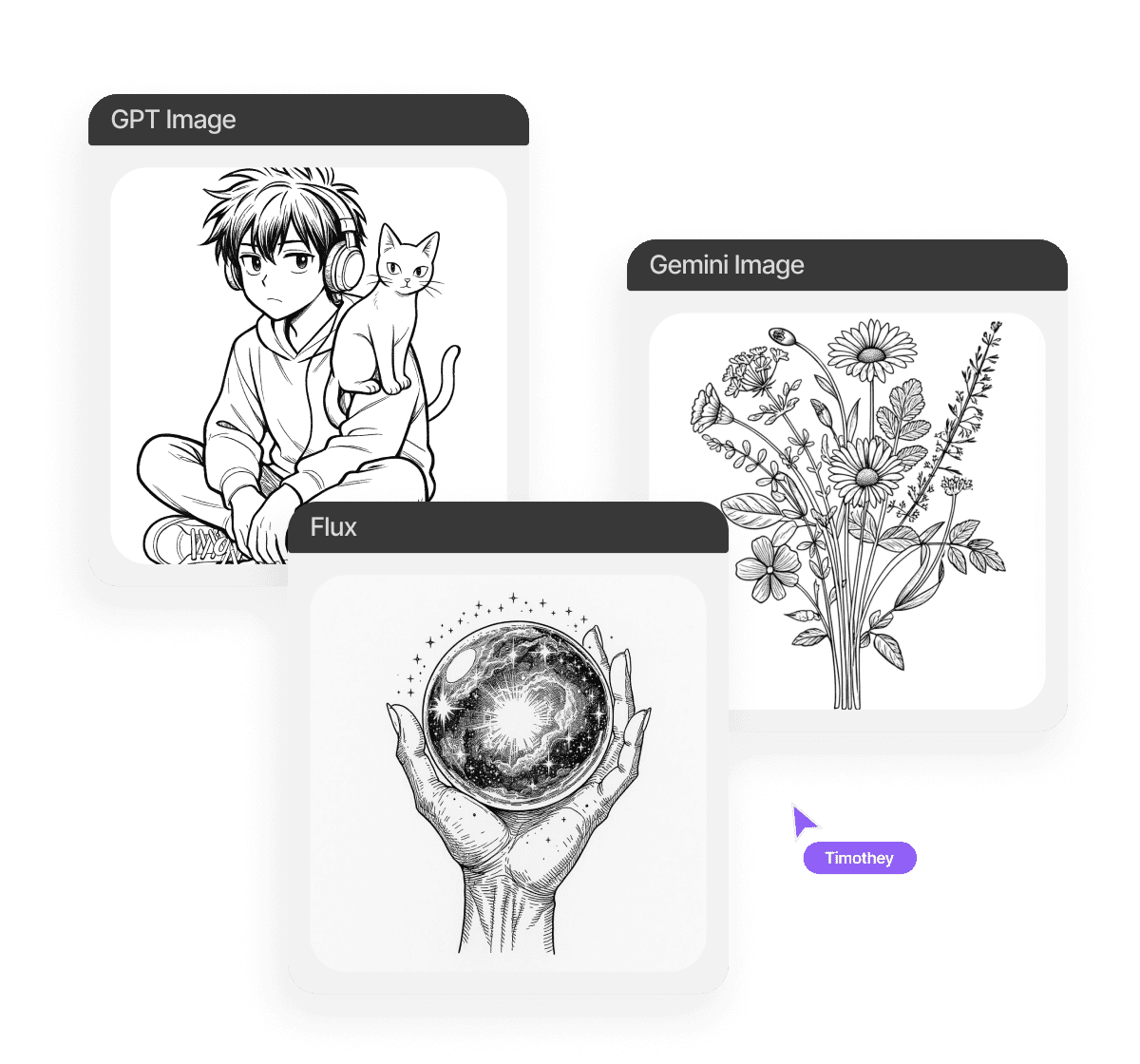
Creative freedom across models
is optimised to produce different visual results.
You can switch between them
or combine them, enabling you
to effortlessly transition from sketch to refined vector.
Powerful editor, flexible settings
The built-in editor lets you adjust line density, contrast, and background directly before downloading.
Work on your design instantly, then export it as a scalable SVG, clean PNG or other formats ready to use — print and digital.
Seamless team collaboration
to view, comment on and edit your work directly in the browser.
Whether you are refining a shared visual style or preparing assets
for a collective project, collaboration
is fast, easy and centralised.
How to generate an AI line art
Here’s how it works on Phygital+.
Type your prompt
Or upload an example photo. You can also use our special tool, which is designed to help you create more comprehensive prompts.
Try different models
You can regenerate, adjust the size, seed, model version and style, as well as other settings, depending on the model you use.
Save and use
You can collaborate with your team to perfect your image. When you are ready, you can receive your results in high-resolution format.
Where can you use an AI line art generator?
of creative, commercial and personal contexts. Whether you’re working on visual branding or creating something for your portfolio, this tool provides clean, adaptable visuals to suit your workflow.
- Custom tattoos and body art templates
- Presentation graphics and creative slide decks
- E-commerce merchandise: clothing, mugs, stickers, wall art
- Branding: modern logos, website visuals and headers.
Tips for achieving
the best results
The clearer your guidance of the model, the closer your output will be to your creative intent. Here are a few practical tips
to help you achieve sharp, expressive visuals that are ready
for print:
- Over-description can lead to cluttered results — keet it simple
- Use stylistic keywords such as 'continuous', 'monoline' or 'abstract'
- Use our special tool to create comprehensive prompts
- Use photos or images as references for the AI model
How to download and edit generated AI line art
into production without any additional preparation. Every image is delivered in professional formats and optimised for creative use, whether for digital design, printed art or physical product mock-ups. The editing process is straightforward, giving you full control over the visual style and output quality.
- Use the built-in editor to adjust your image before saving
- You can also invite your team to collaborate on the project
- Generate again and try different styles and models
- You can get it in PNG or other formats, depending on the model
Client Reviews
”Great tool as soon as you get used to it!”
Ngl in the beginning it was a bit challenging to understand how the workspace works. But as soon as i spent about 15 mins trying to figure it out, i grasped the idea and now i feel like creating images for my presentations has never been easier”
“Great tool”
I can solve all my task in one space. You can use Stable Diffsuion like u run it localy, but faster. U can use other Ai tools for images, and create nice promts in promt helper”
“The best AI app out there”
I can have all my favorite AI tools on one workspace, work with them from anywhere using a laptop and create awesome results in literally 5 minutes for my upcoming social media post, newsletter or a fun meme for my friends. Truly making me more creative and productive, as AI should be doing :).
“Fantastic node-based AI platform”
Super intuitive, fast, and efficient for creating workflows. Great for beginners and pros alike. Highly recommend!”
“Greatest tool for creators”
It has a very flexible mechanisms of NN configuration and friendly UI. This project helped me to create different pictures according to my rich imagination.”
“Node system”
Convenient service, many functions. I am very glad that I use this service).”
”Great tool as soon as you get used to it!” Ngl in the beginning it was a bit challenging to understand how the workspace works. But as soon as i spent about 15 mins trying to figure it out, i grasped the idea and now i feel like creating images for my presentations has never been easier”
“Great tool”
– Artemiy “Great tool! I can solve all my task in one space. You can use Stable Diffsuion like u run it localy, but faster. U can use other Ai tools for images, and create nice promts in promt helper”
“The best AI app out there”
I can have all my favorite AI tools on one workspace, work with them from anywhere using a laptop and create awesome results in literally 5 minutes for my upcoming social media post, newsletter or a fun meme for my friends. Truly making me more creative and productive, as AI should be doing :).
“Fantastic node-based AI platform”
Super intuitive, fast, and efficient for creating workflows. Great for beginners and pros alike. Highly recommend!”
“Greatest tool for creators”
It has a very flexible mechanisms of NN configuration and friendly UI. This project helped me to create different pictures according to my rich imagination.”
“Node system”
Convenient service, many functions. I am very glad that I use this service).”
”Great tool as soon as you get used to it!”
- Amy Ngl in the beginning it was a bit challenging to understand how the workspace works. But as soon as i spent about 15 mins trying to figure it out, i grasped the idea and now i feel like creating images for my presentations has never been easier”
“Great tool”
– Artemiy “Great tool! I can solve all my task in one space. You can use Stable Diffsuion like u run it localy, but faster. U can use other Ai tools for images, and create nice promts in promt helper”
“The best AI app out there”
– Darya “The best AI app out there, I can have all my favorite AI tools on one workspace, work with them from anywhere using a laptop and create awesome results in literally 5 minutes for my upcoming social media post, newsletter or a fun meme for my friends. Truly making me more creative and productive, as AI should be doing :).”
“Fantastic node-based AI platform”
– Dear Customer “Fantastic node-based AI platform! Super intuitive, fast, and efficient for creating workflows. Great for beginners and pros alike. Highly recommend!”
“Greatest tool for creators”
– Pavel “Greatest tool for creators. It has a very flexible mechanisms of NN configuration and friendly UI. This project helped me to create different pictures according to my rich imagination.”
“Node system”
– Sanji Tefaze “Node system, convenient service, many functions. I am very glad that I use this service).”
Best AI Tools All in One Place
Image Generation
Image and Visuals Editing
Edit and enhance visuals: face swap, background removal, upscaling to 8K, and more.
Text Instruments
Generate texts, dialogues, and scripts with AI assistants.
3D
Create and upscale textures, generate 3D objects from images.
Train Models
Train models on your data: customize style, objects, and characters.
Video
Generate and edit videos using modern AI solutions.
Image Generation
Image and Visuals Editing
Edit and enhance visuals: face swap, background removal, upscaling to 8K, and more.
Text Instruments
Generate texts, dialogues, and scripts with AI assistants.
3D
Create and upscale textures, generate 3D objects from images.
Train Models
Train models on your data: customize style, objects, and characters.
Video
Generate and edit videos using modern AI solutions.
Explore similar use cases
Free AI Logo Generator
Create a logo with AI in seconds — whether you’re launching a business, building a team.
Free AI LinkedIn Banner Generator
Design eye-catching LinkedIn banners tailored to your profile.
Free AI Image Unblurrer Tool
Fix blurry pictures with AI online in seconds — with one powerful tool and zero installs.
Free AI Image Generator
Create AI images instantly — online, free, and tailored to your vision.
AI Book Illustration Generator
Turn your stories into stunning book illustrations from simple text prompts.
Free AI Clip Art Generator
reate simple, colorful clip art graphics for presentations and content.
Free AI YouTube Banner Generator
Design banners with AI in seconds — no design tools, no watermarks, no limits.
Free AI Food Image Generator
Generate mouth-watering food images for menus, ads, or social media.
FAQs
Answers to common questions about using Phygital+ and generating AI-powered line art images.
It’s a tool that uses artificial intelligence to convert text or images into minimalist line drawings.
Yes, you can turn a photo into line art with AI. Phygital+ supports photo uploads to generate accurate line arts.
Yes, there’s a free tier for personal and basic creative use.
Absolutely! Just confirm the commercial licence for the image you download.
You can export in PNG, SVG or other formats, depending on your needs.
Yes, each image is generated from your unique prompt or photo.