Free AI Meme Generator
Got a joke? We’ll turn it into a meme more quickly than your group chat can ask,
‘Who made this?’ With our tool, you can create memes with AI using the latest AI models
to combine clever captions with the perfect picture to create shareable content that goes viral in seconds. Whether you’re a company or a brand, or maybe you’re just bored
at 2 a.m., welcome to your new favourite distraction (we mean… workflow tool).
What is an AI
meme generator?
Fast, funny,
and unique for you
This AI meme generator turns your ideas into memes in seconds.
Simply enter a phrase or prompt and Phygital+ will instantly provide you with a meme that is both shareable and sharp, complete with the right caption, image and tone — no editing software required.
Made for designers and creative teams
Phygital+ was designed for designers and content creators working in different fields.
This tool saves hours of manual work while helping you to stay topical and entertaining. Use it for quick reactions, daily engagement, or brand storytelling.
Smart templates
and remix control
Choose from classic formats or let AI surprise you.
Whether you’re starting from scratch or remixing a viral layout, Phygital+ puts you in control of adjusting styles, captions and tone to suit your audience.
Why should you use
an AI meme generator?
Fast, flexible,
browser-based
Phygital+ runs entirely in your browser, enabling you to create a meme from an raw idea.
Everything happens in one fast, focused space, from classic templates to wild freestyle formats.
Different models for perfect result
Use Midjourney for surrealism, FLUX for bold satire or Stable Diffusion for crisp realism.
Phygital+ gives you the power to test styles instantly without leaving your workflow.
The built-in editor with total control
Resize, reposition and recolour images, or add emojis and stickers for a touch of chaos.
Our meme editor is simple and fast, and it won’t lock you into one format.
Custom style, repeatable quality
Use visual presets, tone templates and caption styles to create content that reflects your brand, whether you’re running a meme series or a social media campaign.
How it works
Using the Phygital+ meme maker is easier than shouting “Send memes!” in a group chat.
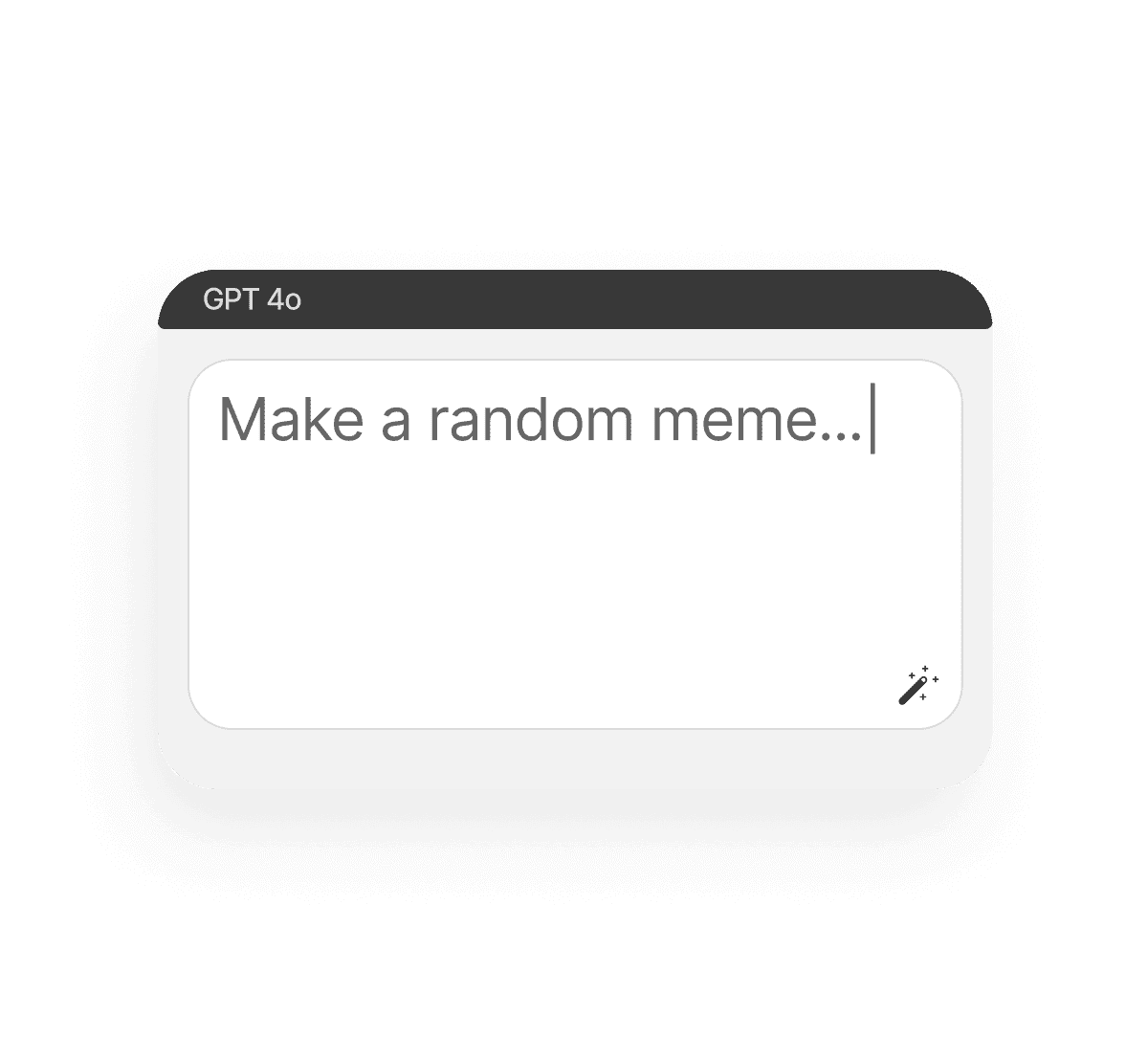
Type your prompt
Or use a prompt to generate a meme from the text caption.
Click 'Generate'
And get multiple meme examples with different AI models based on your idea.
Save and use
You can regenerate and edit your image, and then get the final result in PNG or convert it to SVG.
Where can you use an AI meme generator?
Which areas are most impacted by AI-generated memes? Well, memes are a vital part of our lives today, aren’t they? We can find them literally everywhere.
- Social media campaigns: Memes are always good for trends
- Slide decks and presentations: Break the ice, even at a serious event
- Work chats: Sticker packs and jokes based on missed deadlines
- Community content: Drop memes to spark conversation
Tips for achieving
the best results
You can’t just be lucky to get a solid meme out of an AI model. Make a few smart tweaks to your prompt or image selection and you will turn a good meme into a great one. Here’s how to stay in the sweet spot between relevance and absurdity:
- Use specific prompts: 'founder on Monday' or 'me vs client brief'
- Combine emotion and scenario, like, 'When the deadline stares back'
- Try switching models to achieve different meme styles
- Don't be afraid to let the bot be a bit random
How to download
and edit created icons
Once you have generated memes with AI, you can:
- Download them in PNG or convert to SVG
- Use our editor to customise the text, layout and images
- You can work together with your team
- Regenerate with other models to create the best meme in the world
Client Reviews
”Great tool as soon as you get used to it!”
Ngl in the beginning it was a bit challenging to understand how the workspace works. But as soon as i spent about 15 mins trying to figure it out, i grasped the idea and now i feel like creating images for my presentations has never been easier”
“Great tool”
I can solve all my task in one space. You can use Stable Diffsuion like u run it localy, but faster. U can use other Ai tools for images, and create nice promts in promt helper”
“The best AI app out there”
I can have all my favorite AI tools on one workspace, work with them from anywhere using a laptop and create awesome results in literally 5 minutes for my upcoming social media post, newsletter or a fun meme for my friends. Truly making me more creative and productive, as AI should be doing :).
“Fantastic node-based AI platform”
Super intuitive, fast, and efficient for creating workflows. Great for beginners and pros alike. Highly recommend!”
“Greatest tool for creators”
It has a very flexible mechanisms of NN configuration and friendly UI. This project helped me to create different pictures according to my rich imagination.”
“Node system”
Convenient service, many functions. I am very glad that I use this service).”
”Great tool as soon as you get used to it!” Ngl in the beginning it was a bit challenging to understand how the workspace works. But as soon as i spent about 15 mins trying to figure it out, i grasped the idea and now i feel like creating images for my presentations has never been easier”
“Great tool”
– Artemiy “Great tool! I can solve all my task in one space. You can use Stable Diffsuion like u run it localy, but faster. U can use other Ai tools for images, and create nice promts in promt helper”
“The best AI app out there”
I can have all my favorite AI tools on one workspace, work with them from anywhere using a laptop and create awesome results in literally 5 minutes for my upcoming social media post, newsletter or a fun meme for my friends. Truly making me more creative and productive, as AI should be doing :).
“Fantastic node-based AI platform”
Super intuitive, fast, and efficient for creating workflows. Great for beginners and pros alike. Highly recommend!”
“Greatest tool for creators”
It has a very flexible mechanisms of NN configuration and friendly UI. This project helped me to create different pictures according to my rich imagination.”
“Node system”
Convenient service, many functions. I am very glad that I use this service).”
”Great tool as soon as you get used to it!”
- Amy Ngl in the beginning it was a bit challenging to understand how the workspace works. But as soon as i spent about 15 mins trying to figure it out, i grasped the idea and now i feel like creating images for my presentations has never been easier”
“Great tool”
– Artemiy “Great tool! I can solve all my task in one space. You can use Stable Diffsuion like u run it localy, but faster. U can use other Ai tools for images, and create nice promts in promt helper”
“The best AI app out there”
– Darya “The best AI app out there, I can have all my favorite AI tools on one workspace, work with them from anywhere using a laptop and create awesome results in literally 5 minutes for my upcoming social media post, newsletter or a fun meme for my friends. Truly making me more creative and productive, as AI should be doing :).”
“Fantastic node-based AI platform”
– Dear Customer “Fantastic node-based AI platform! Super intuitive, fast, and efficient for creating workflows. Great for beginners and pros alike. Highly recommend!”
“Greatest tool for creators”
– Pavel “Greatest tool for creators. It has a very flexible mechanisms of NN configuration and friendly UI. This project helped me to create different pictures according to my rich imagination.”
“Node system”
– Sanji Tefaze “Node system, convenient service, many functions. I am very glad that I use this service).”
Best AI Tools All in One Place
Image Generation
Image and Visuals Editing
Edit and enhance visuals: face swap, background removal, upscaling to 8K, and more.
Text Instruments
Generate texts, dialogues, and scripts with AI assistants.
3D
Create and upscale textures, generate 3D objects from images.
Train Models
Train models on your data: customize style, objects, and characters.
Video
Generate and edit videos using modern AI solutions.
Image Generation
Image and Visuals Editing
Edit and enhance visuals: face swap, background removal, upscaling to 8K, and more.
Text Instruments
Generate texts, dialogues, and scripts with AI assistants.
3D
Create and upscale textures, generate 3D objects from images.
Train Models
Train models on your data: customize style, objects, and characters.
Video
Generate and edit videos using modern AI solutions.
Explore similar use cases
Free AI Infographic Generator Online
Turn complex ideas into visuals with our free AI infographic generator.
Free AI Clothes Changer
Try on different outfits virtually by changing clothes in photos.
Free AI Meme Generator
Create viral memes with AI-generated visuals and captions.
Free Gothic AI Generator
Create gothic art with AI in minutes, no expensive software, no watermarks.
Free AI Icon Generator
Generate custom icons in any style directly from text prompts.
Free AI Family Portrait Generator
Create timeless AI family portraits in seconds — no studio, no photographer needed.
Free AI Animal Generator
Bring your imagination to life with our free AI animal generator.
Free AI LinkedIn Banner Generator
Design eye-catching LinkedIn banners tailored to your profile.
FAQs
Answers to common questions about using Phygital+ and generating AI-powered memes.
It’s a tool that uses AI to instantly generate memes based on text or prompts.
Of course! Our AI understands context, tone and formatting, so the punchlines really hit the mark.
If you’re looking for flexibility, speed and control over the models, then yes.
Yes, if you have a paid subscription.
No. Try it directly from your browser.
Yes! You can resize, reposition, change text and swap images for full control.
Generative flexibility, image full control, several models and integration with other tools.
Start for free
Create logos, mockups, and brand visuals in one place.